
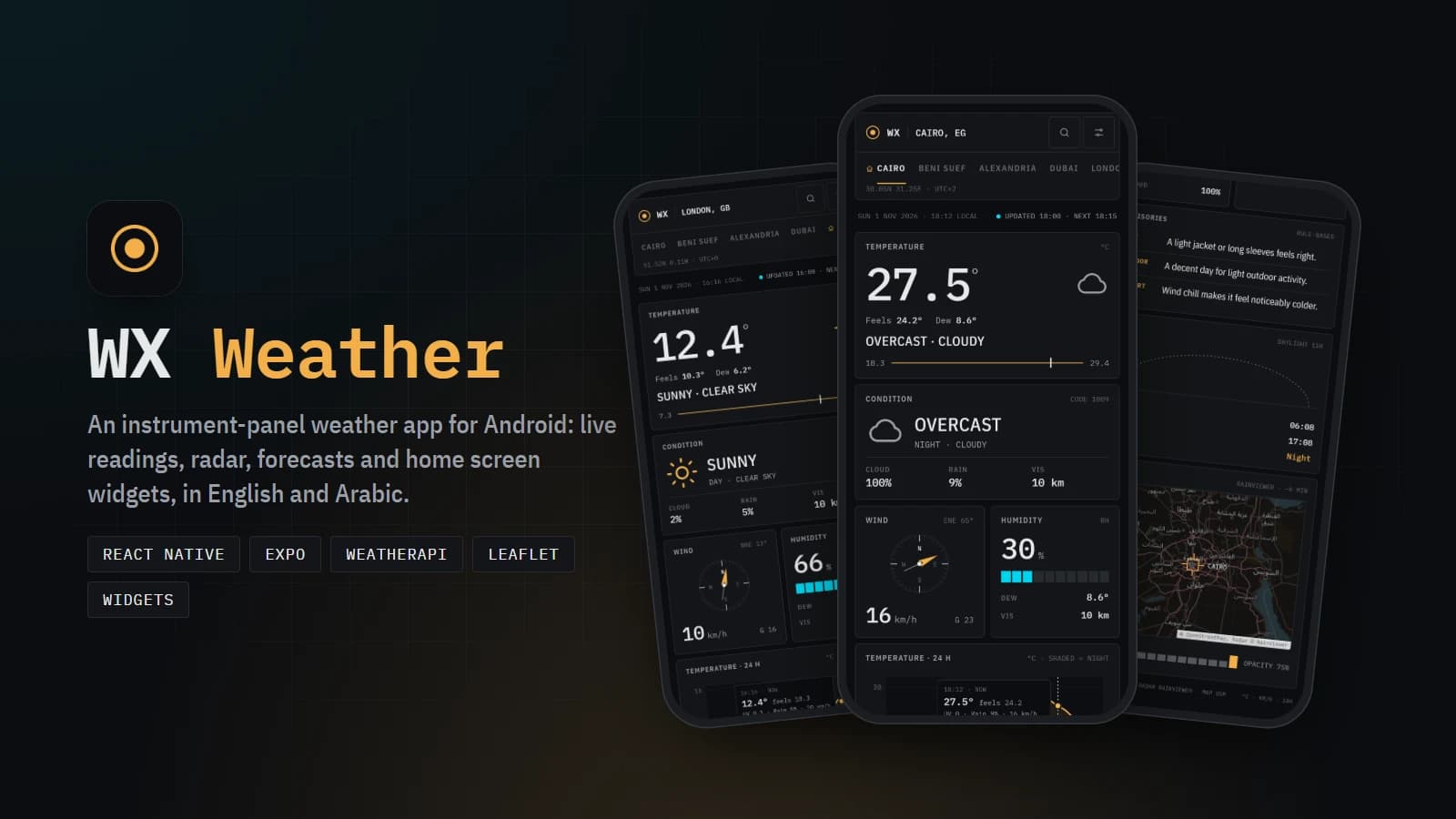
Project Overview
WX Weather is an Android weather app built with React Native and Expo, designed like an instrument panel: graphite tiles, IBM Plex Mono readings, gauges and a compass on one scrolling screen. It is the mobile version of my Weather App web dashboard and shares its data rules, so both apps read the weather the same way.
It shows live conditions for any city, keeps working without a connection, and brings the weather to the home screen through four resizable widgets and a temperature reading in the status bar. The whole app works in English and Arabic, with a full right-to-left layout.
Key Features
- Thirteen panels: temperature, condition, wind compass, humidity, pressure, 24-hour temperature chart, 3-day forecast, air quality (US EPA scale), UV index, moon phase, rule-based advisories, sun arc and rain radar
- Drag across the 24-hour chart to read any hour (temperature, feels-like, UV, rain chance and wind); tap a forecast day for sunrise, sunset, max wind, precipitation, humidity and moon
- Rain radar on a Leaflet map with the last two hours of RainViewer frames: play the animation, jump to a frame, and change the overlay opacity
- Saved places: add a city by search or by tapping a spot on a map, switch between them with tabs, and choose the place the app opens on
- Four Android home screen widgets (temperature, current, next hours, forecast), refreshed by a background task and every time the app loads fresh data
- Optional status-bar temperature: a silent ongoing notification with the city, feels-like, high/low, UV and air quality
- Works offline: the last reading for each place is saved, so the app opens on it with a clear "offline" label, and refreshes on its own when the connection returns
- Use my current location, pull to refresh, automatic refresh every 10 minutes, dark and light themes, and units for temperature, wind, distance, pressure and clock
Arabic and Right to Left
Choosing Arabic mirrors every row, sheet and drawer, switches the interface to IBM Plex Sans Arabic (the Latin fonts have no Arabic letters), and turns off uppercase and letter spacing so Arabic letters stay joined. Numbers, the chart and the compass stay left to right, the way instrument panels read in both languages. Condition text comes from WeatherAPI in Arabic, and the widgets and status-bar notification follow the same language.
Engineering
Weather, air quality and alerts come from WeatherAPI, radar tiles from RainViewer and the basemap from OpenStreetMap. Widgets are drawn with react-native-android-widget from the same SVG icons as the app and read the reading the app already saved, so they rarely make a request of their own. A custom Expo config plugin keeps the Android build working on Windows (short build paths for the native CMake builds) after every prebuild.
Built end to end: the instrument-panel design, the mobile UI and gauges in SVG, offline caching, Android widgets and background refresh, notifications, and the Arabic version.